

Secure, contactless payment.



Apple Pay
Rest easy. Apple Pay transactions are authorized with your fingerprint or your passcode, transactions never use your credit or debit card number. Plus, you still get all the rewards and benefits your card has to offer.
Apple Pay changes how you pay with breakthrough contactless payment technology and unique security features built right into your iPhone® (6, 6 Plus or newer), iPad® (Air 2 or newer), iPad® Mini (3 or newer), and Apple® Watch. Use Apple Pay securely at thousands of stores and participating apps.
It's a snap to get started!
- Make sure your iPhone (6, 6 Plus or newer), iPad (Air 2 or newer), iPad Mini (3 or newer), or Apple Watch has the latest version of iOS.
- Add your MCECU Mastercard Platinum Rewards Card or Mastercard debit card to Apple Pay...it's easy.
- Use it within apps or hold your device near a contactless reader with your finger on Touch ID.
Add a card
Adding your MCECU credit or debit card to Apple Pay is easy - go to card management in Digital Banking and click "Add to Apple Wallet." You can also use your mobile device's camera to instantly capture your card information, enter it manually, or add your MCECU card from your iTunes account to Apple Pay.
Google Pay
The things you love about your MCECU Mastercard debit or credit card are right on your Android phone with Google Pay (formerly Android Pay). Getting started is simple:
- Download The Google Pay App.
- Add your MCECU card — it’s as simple as snapping a photo.
- Pay confidently at over a million locations in the U.S.
*Google Pay is available on Android devices running 9.0 and above.
Add a card
Adding your MCECU credit or debit card to Google Pay is easy - go to card management in Digital Banking and click "Add to Google Wallet." You can also use your mobile device's camera to instantly capture your card information or enter it manually.
Enjoy the confidence of paying with your Android phone using your MCECU Mastercard debit or credit card and Google Pay.
Samsung Pay
Get the great features and benefits of your MCECU card—right on your device. All you need to do is:
- Make sure your compatible Samsung device* is updated with Samsung Pay.
- Take a picture of your MCECU Mastercard card with your device’s camera.
- Secure it with your fingerprint and backup PIN and you’ll be ready to go.
*Available on Galaxy S6, Galaxy S6 Edge, Galaxy S6 Edge+, Galaxy S6 Active, Galaxy Note5 and other select Samsung devices, most major carriers and supported cards.
Add a card
Adding your MCECU credit or debit card to Samsung Pay is easy - go to card management in Digital Banking and click "Add to Samsung Wallet." You can also use your mobile device's camera to instantly capture your card information or enter it manually.
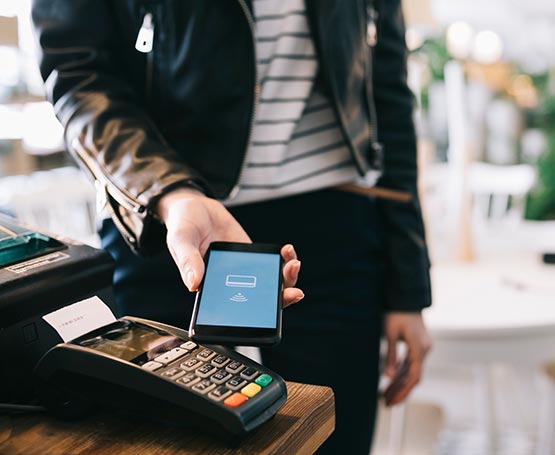
How to Pay
To pay in stores, just hold your Apple, Android, or Samsung device near the contactless reader. A subtle vibration or confirmation lets you know your payment information was successfully sent.
To pay within apps or online on your mobile device, select your compatible pay option at checkout.
Questions asked, frequently.
What is Google Pay?
Google Pay (formerly Android Pay) enables you to use your MCECU credit or debit card to pay for purchases using your Android mobile phone by holding the device near a contactless reader at participating merchants.
Where can I make purchases with Google Pay?
You can make purchases at stores that accept NFC (or tap-to-pay) payments, as well as select Android apps. View A Current List of stores accepting NFC payments.
What is Samsung Pay?
Samsung Pay enables you to pay for purchases by holding your Samsung® mobile device near a payment terminal. Similar to Apple Pay and Google Pay, this mobile payment system uses Near Field Communication technology. However, unlike other payments, Samsung Pay also uses Magnetic Secure Transmission (MST) technology. This technology allows mobile devices to make payments at both magnetic stripe payment terminals and NFC-enabled terminals.
Where can I make purchases with Samsung Pay?
Samsung Pay works at 90 percent of US payment terminals because it uses Near Field Communication (NFC) and Magnetic Secure Transmission (MST) technology.
How do I make a purchase with Samsung Pay?
You can make an in-store purchase by swiping up from the home button or selecting the Samsung Pay application from the home screen or app tray. You authorize payments by scanning your fingerprint before hovering the phone over the card reader.